How to Block Porn on iPhone So You Can't Turn It Off
iPhone has a porn filter built in, but you can turn it off anytime. WaitToUnlock locks it behind a passcode you never learn.
1 Open Screen Time settings
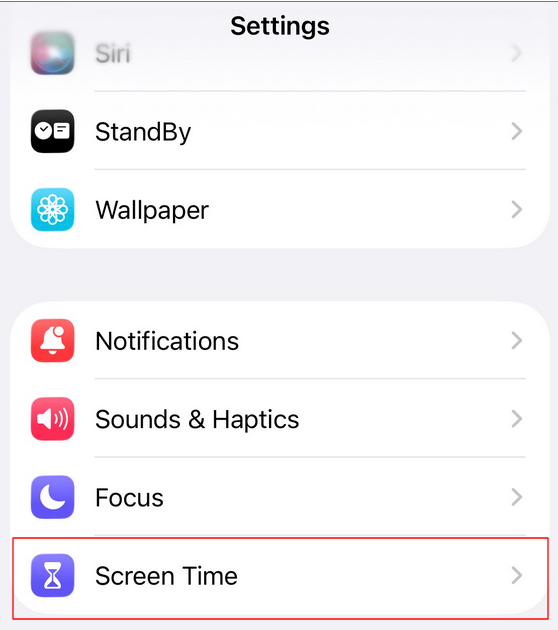
On your iPhone, go to Settings and tap Screen Time.
2 Turn on Limit Adult Websites
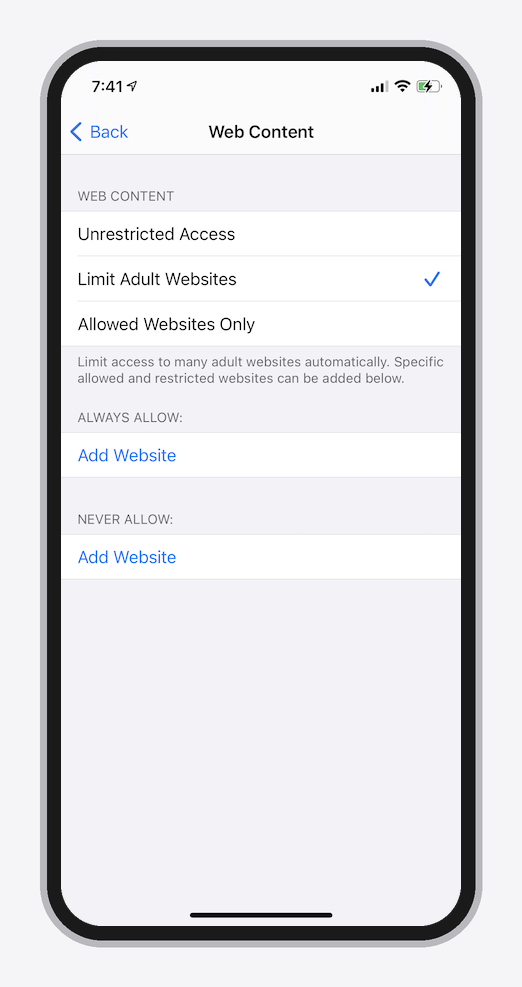
Tap Content & Privacy Restrictions and switch it on if it isn't already. Then go to Web Content and choose Limit Adult Websites.
3 Tap "Lock Screen Time Settings"
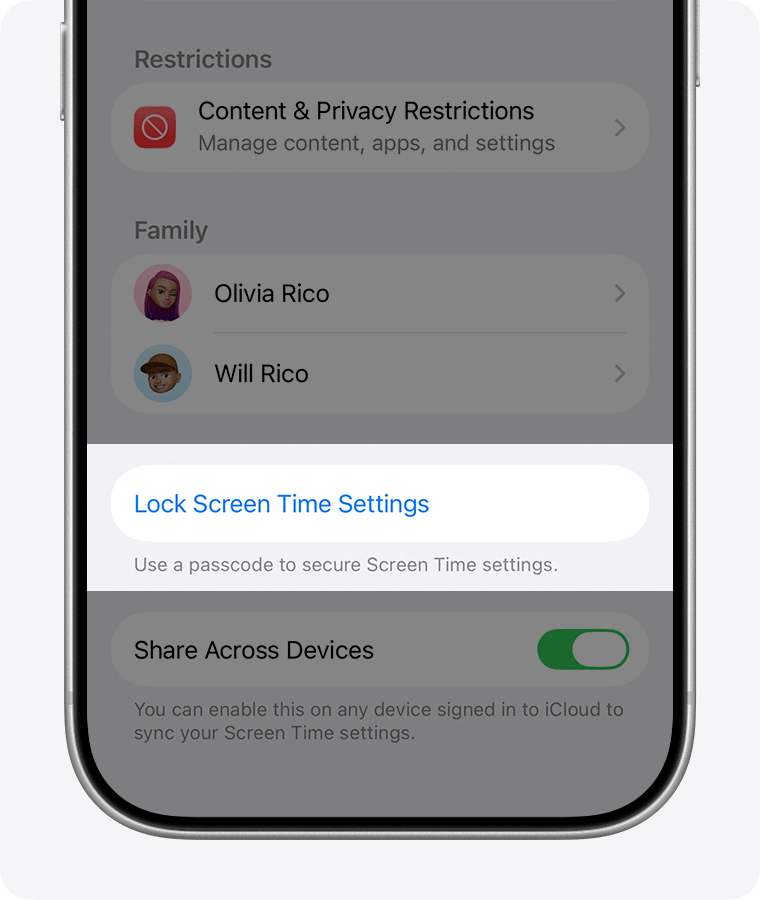
Go back to the main Screen Time screen, scroll down and tap Lock Screen Time Settings. This is where the passcode that protects the filter gets set.
4 Follow our guided entry to set a passcode you don't know
WaitToUnlock generates a random Screen Time passcode and walks you through entering it on your iPhone: tap these digits, delete some, tap more. Decoy digits are mixed in so your brain can't memorise the sequence. By the end, the passcode is set and you never learned it.
5 The filter can't be switched off anymore
Your passcode is encrypted and locked away on our servers. When you're tempted to turn the filter off, you won't know the passcode. You can request it, but getting it back takes a wait you choose. By the time it's revealed, the urge is gone.
You pick the wait when you set it up. The longer it is, the less it matters what you want at 1am.
That wait is what makes this a tool for quitting porn rather than just blocking it: the block survives the moment you'd normally undo it.
How it compares
Porn blocker apps put the block in an app you control. WaitToUnlock puts it in Screen Time itself, and takes the passcode out of your hands.
| Porn blocker apps | WaitToUnlock | |
|---|---|---|
| Can't be undone on impulse | NoDeleted or force-quit in two taps | YesPasscode hidden for hours |
| Uses Built-in Screen Time | No | Yes |
| Free | Often a subscription | YesOptional one-time upgrade for longer waits |
Frequently asked questions
How do I block porn on iPhone without installing an app?
Use the built-in Screen Time feature. In Settings > Screen Time > Content & Privacy Restrictions > Web Content, turn on Limit Adult Websites. This filters adult sites and removes Private Browsing from Safari. Then protect the setup with a Screen Time passcode you don't know, so you can't switch it off on impulse.
Why do porn blocker apps fail?
Because the person being blocked holds the key. Blocker apps can be deleted in two taps, DNS filters can be switched off, and Screen Time restrictions can be undone by typing the passcode you set yourself. Any blocker you can undo in under a minute only works until the first strong urge.
How is this different from porn blocker apps?
Blocker apps can be deleted in two taps, so the block only lasts as long as your willpower. This setup uses Screen Time, which is built into iOS and can't be uninstalled, locked with a passcode you never learn. There is nothing to delete and nothing to type. See the full setup for a blocker you can't uninstall for the step-by-step version.
Can this help me quit porn?
Blocking alone doesn't cure a habit, but it removes the most common failure point: instant access. Most urges pass within minutes. When undoing the block takes hours instead of seconds, you stop losing to your weakest moments. Pair it with whatever else helps you: replacement habits, support, or professional help if it feels compulsive.
Does Screen Time block porn in every app, or just Safari?
Limit Adult Websites filters Safari, but you could still install another browser to get around it. Setting Content & Privacy Restrictions to 13+ closes that loophole: it blocks third-party browsers from installing or opening and removes Private Browsing, leaving only filtered Safari. Apps like Reddit need their own fix: see how to block porn on Reddit on iPhone.
Can I set this up without Family Sharing or a child account?
Yes. Screen Time restrictions work on any iPhone, including your own adult account, not just child or Family Sharing devices. You set the passcode on your own phone through Settings, and WaitToUnlock locks it away from you afterward.