I've tried a lot of ways to block porn on my iPhone: DNS filters, dedicated blocker apps, plain willpower. They all shared the same weakness. When the urge hit, there was always a workaround, and I knew exactly where it was.
The setup that finally worked is simple. In Settings > Screen Time > Content & Privacy Restrictions, I set the allowed content rating to 13+.
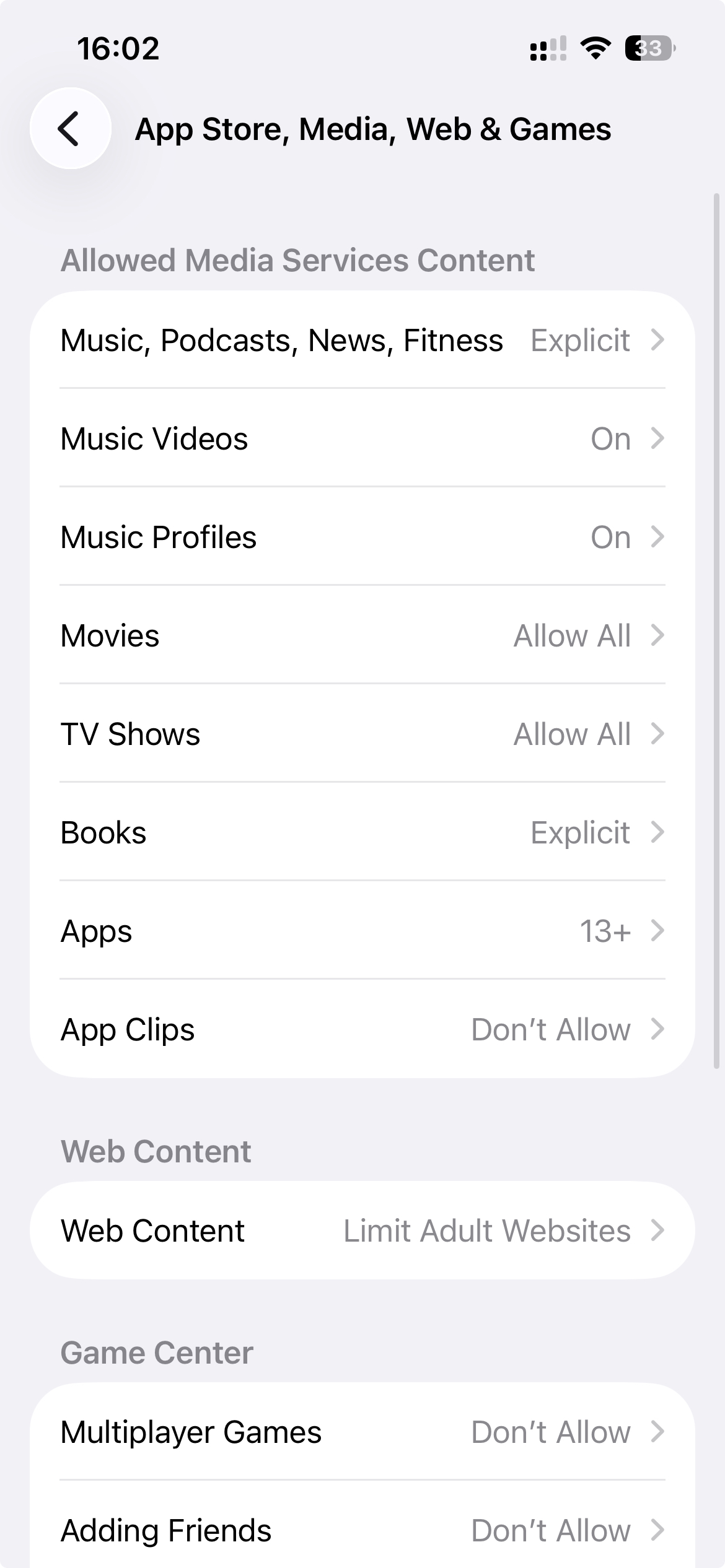
Why 13+ changes everything
I hadn't realised how much this one setting changes the browsing experience until I turned it on. It does far more than enable Safari's adult website filter:
- Private Browsing disappears from Safari entirely. The option is simply gone, so there's no incognito mode where history leaves no trace.
- Third-party browsers stop working. Chrome, Firefox, Brave and the rest carry 17+ or 18+ age ratings on the App Store, so under a 13+ restriction you can't install them, and ones already on the phone won't open. Downloading another browser to get around Safari's filter is no longer possible.
That leaves exactly one way onto the web: Safari, with its built-in web filter always on. Because all browsing goes through that one filtered browser, there is no unfiltered path left.
The tradeoff: legitimate apps get caught too
There is a real cost. Plenty of completely legitimate apps are rated 17+ on the App Store, and they all stop working under a 13+ restriction. Slack and Reddit are both rated 17+, so they're gone. In my case I also lost Claude and Trading212. Losing them on my phone is genuinely inconvenient. I still use them on my laptop, but the phone versions are just gone.
I decided that was a worthwhile tradeoff. The apps you lose will be different, so check the age ratings of the apps you rely on before committing. For some people the cost will be too high. For me, the inconvenience was small compared to what I got back.
Closing the last loophole: a passcode you don't know
None of this matters if you can undo it in thirty seconds during a moment of weakness. Content & Privacy Restrictions are protected by the Screen Time passcode, and if that passcode is one you know, you can undo the whole setup whenever you want.
So the last piece was making sure I couldn't unlock it myself. I set a Screen Time passcode that I don't know, using WaitToUnlock: it generates a random passcode, walks you through entering it without ever learning it, and only reveals it back after a waiting period. The iPhone porn blocker setup guide covers the whole flow step by step. Having a trusted friend or partner set the passcode works just as well, if you have someone you're comfortable asking.
Also close the recovery loophole: iOS lets you reset a Screen Time passcode with your own Apple Account unless you set things up carefully. Here's how to disable that.
Why this setup finally worked
Every previous attempt depended on me making the right decision every time, forever. One bad night was enough to undo weeks of a filter working fine.
This setup is different because there is no decision left to make. Private Browsing doesn't exist. Other browsers won't install. The settings sit behind a passcode I don't have. There is no quick way to bypass any of it, and in my experience that is the only kind of blocker that holds.