A lot of people lock down their iPhone and then relapse on the iPad. It's usually in another room, on the sofa or in bed, and it often has no restrictions at all.
iPad has the same Screen Time settings as iPhone, so you can block porn on it without installing anything. If you've already set up your iPhone, you can copy that setup across in a few minutes.
Step 1: Set up your iPhone first
Turn on the adult website filter and set Apps to 13+ on your iPhone, but don't lock the passcode yet. The iPhone porn blocker setup guide walks through it. The 13+ setting matters on iPad as much as on iPhone: it removes Private Browsing and blocks third-party browsers, which would otherwise get around Safari's filter. Here's why 13+ works.
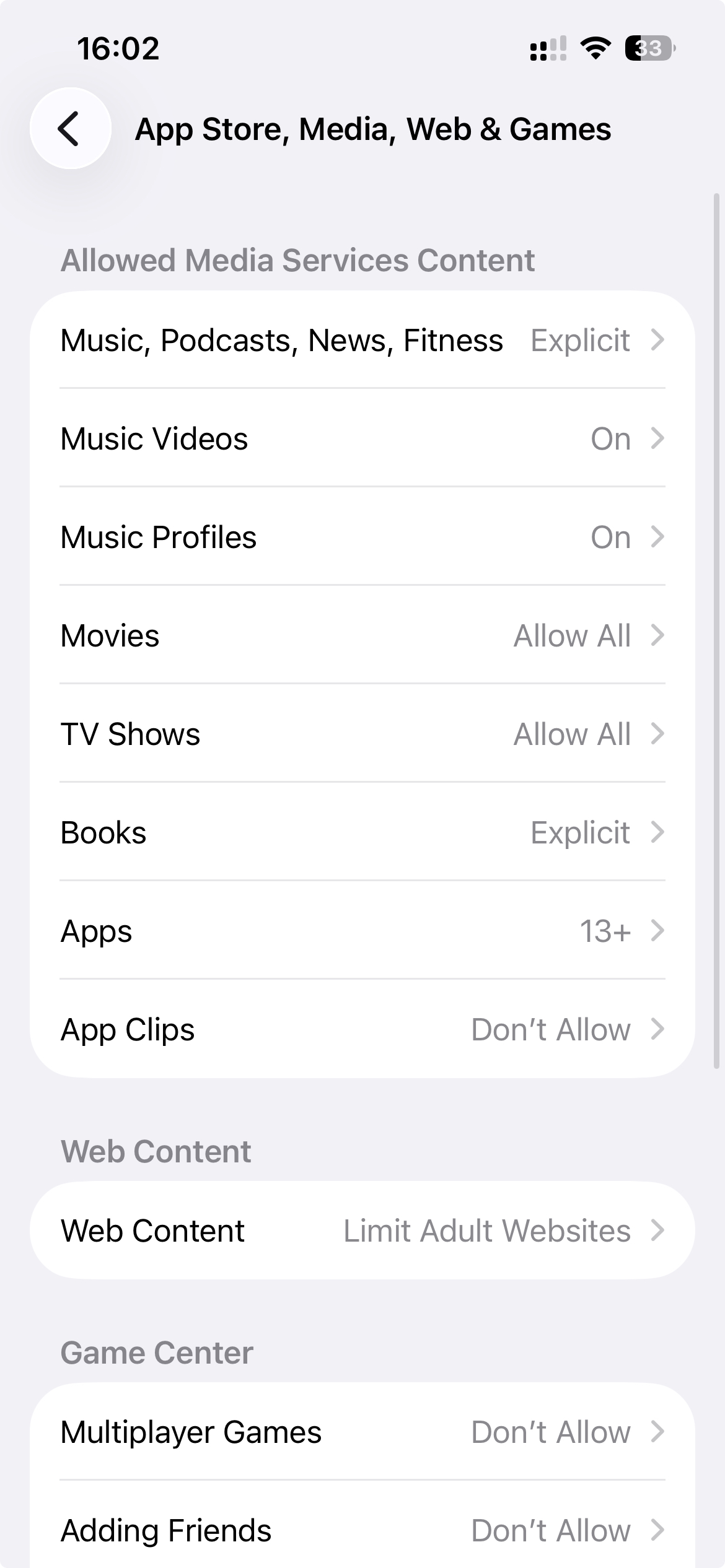
Step 2: Turn on Share Across Devices
Make sure the iPad is signed in to the same Apple Account as your iPhone. Then, on both devices, go to Settings > Screen Time and turn on Share Across Devices.
Your iPhone's restrictions and Screen Time passcode now apply to the iPad as well. Do this before you lock the passcode in the next step, because changing Screen Time settings afterwards asks for it.
Step 3: Lock it with a passcode you don't know
If you know the Screen Time passcode, you can undo all of this on either device in thirty seconds. So set one you don't know. WaitToUnlock generates a random passcode, walks you through entering it without learning it, and only reveals it after a waiting period. Having a trusted friend or partner set it works too.
Then close the recovery loophole: iOS lets you reset a Screen Time passcode with your own Apple Account unless you set things up carefully. Here's how to disable that.
Step 4: Check it on the iPad
On the iPad, open Settings > Screen Time > Content & Privacy Restrictions. It should ask for the passcode. Then try a blocked site in Safari and confirm it shows a restricted page. If either check fails, set the iPad up on its own using the next section.
If your iPad uses a different Apple Account
A shared family iPad, or one signed in to an old account, won't pick up your iPhone's settings. Set it up directly on the iPad: turn on Limit Adult Websites, set Apps to 13+, and set a Screen Time passcode you don't know. That's a second passcode to keep. WaitToUnlock's lifetime plan stores up to four, each with its own name and wait time.
Don't forget the other devices
Any unrestricted device is a way around the whole setup. An old iPhone or iPad in a drawer counts. Either set Screen Time up on it too, or erase it and give it away.
Common questions
Does iPad have a built-in porn blocker?
Yes. iPad has the same Screen Time settings as iPhone, including Limit Adult Websites under Content & Privacy Restrictions. No app is needed.
Do I need a separate Screen Time passcode for my iPad?
Not if the iPad is signed in to the same Apple Account as your iPhone and Share Across Devices is on for both. Your iPhone's restrictions and passcode then apply to the iPad too. An iPad on a different Apple Account needs its own setup and its own passcode.
Can I block porn on a shared family iPad?
Yes. Set up Screen Time on that iPad directly: turn on Limit Adult Websites, set Apps to 13+, then set a Screen Time passcode you don't know. Anyone else who uses the iPad will get the same restrictions.