Forgetting your Screen Time passcode is more common than you'd think, especially if you set it months ago, or someone set it for you to keep you off certain apps. The good news is that there's usually a way back in. On recent versions of iOS, your Apple Account can reset it even if you never set up recovery on purpose.
Work through the steps below in order. This is about the Screen Time passcode (the 4-digit code that protects app limits and restrictions), not your main iPhone unlock passcode, which is a different recovery process entirely.
First: make sure it's actually the Screen Time passcode
If your phone unlocks normally but you're blocked when trying to change Settings > Screen Time, change a limit, or turn restrictions off, then yes, it's the Screen Time passcode you've forgotten. Read on.
If you can't unlock the phone at all, that's the device passcode, and you'll need Apple's separate device-recovery process instead.
Option 1: Reset it with your Apple Account
On recent versions of iOS, the Forgot Passcode? flow accepts the Apple Account you're signed in with on the phone, even if you tapped Cancel on the recovery screen when the passcode was set. Resetting is quick:
- Open Settings > Screen Time.
- Tap Change Screen Time Passcode, then Change Screen Time Passcode again.
- Tap Forgot Passcode?
- Enter your Apple Account email and password (or, if a specific recovery account was linked when the passcode was set, that account's credentials).
- If they match, you'll be allowed to set a brand-new Screen Time passcode.
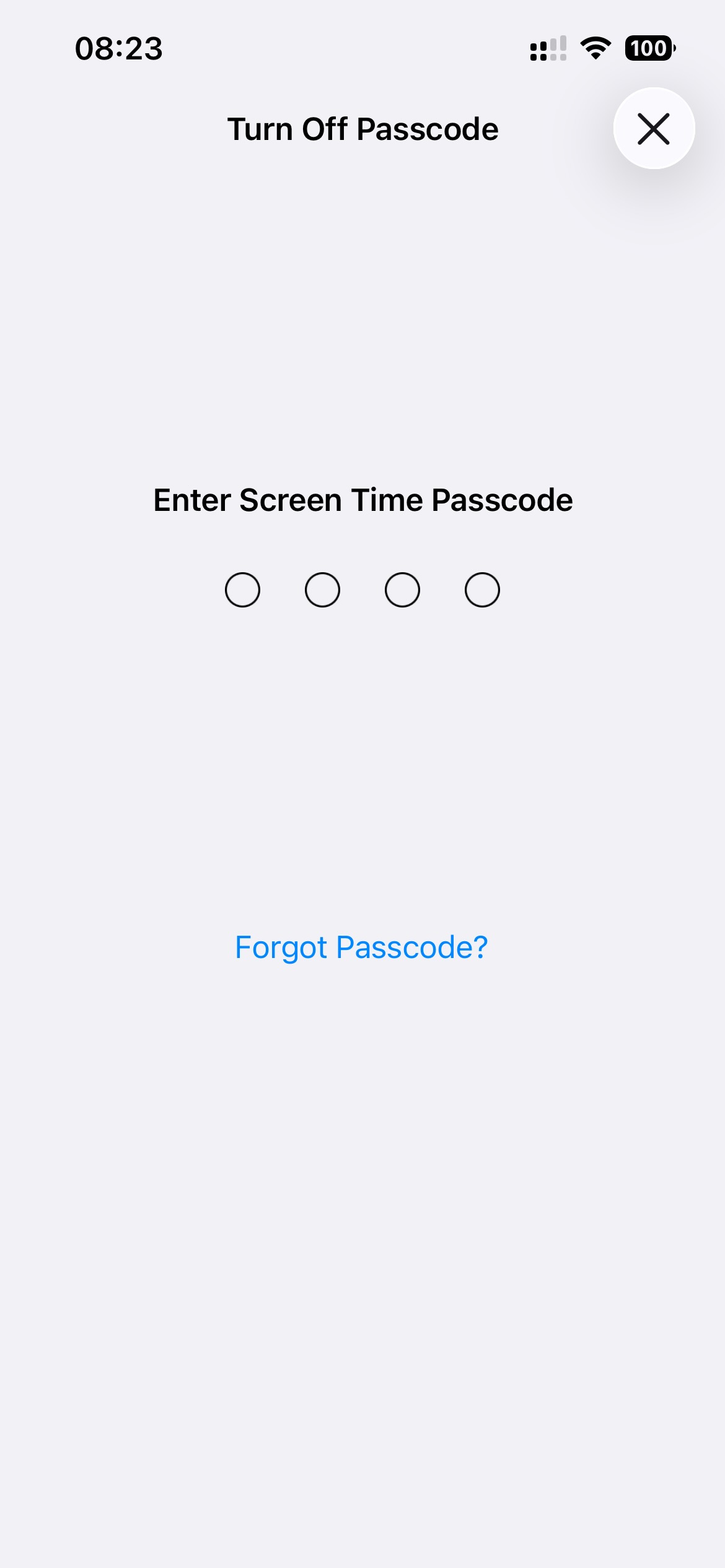
If there's no Forgot Passcode? link, or your Apple Account isn't accepted, move on to the next option.
Option 2: Make sure your software is up to date
Older versions of iOS didn't offer Apple Account recovery for the Screen Time passcode at all. If you're on an old release and don't see the Forgot Passcode? option, updating to the latest iOS can add it, but only for passcodes set after the recovery feature existed. Updating won't retroactively attach recovery to a code you set years ago.
Option 3: If your Apple Account can't reset it
This is the hard case: the passcode was set on an old iOS version without recovery, or the recovery account is one you can't access (for example, someone else's account, or a burner account set up deliberately). Your realistic options are:
- Ask whoever set it. If a partner, parent, or friend set the passcode for you, they may simply remember it. This is the easiest fix by far.
- Erase the device and set it up as new. Removing the Screen Time passcode without recovery means erasing the iPhone and not restoring from a backup that contains the same Screen Time settings. This wipes everything, so treat it as a last resort and back up your photos and data first.
There's no legitimate shortcut beyond these. Be wary of "instant unlocker" tools that promise to strip the passcode, many are scams or carry malware, and some simply erase the phone anyway.
How to never get stuck like this again
A forgotten Screen Time passcode is usually an accident. Forgetting it on purpose, though, is one of the most effective ways to stick to your limits, as long as you have a safe way to get it back when you genuinely need it.
That's the gap WaitToUnlock fills. Instead of choosing a passcode you'll either remember (and override on a whim) or forget completely (and risk wiping your phone), WaitToUnlock generates a random Screen Time passcode, guides you through entering it without memorising it, and stores it encrypted for you.
When you truly need it back, you request it and wait out a countdown, then it's revealed. You get the benefit of a passcode you don't know without the risk of being permanently locked out. No erasing the phone, no scammy unlocker apps, no awkward "can you remember the code you set?" conversation.
One caveat: as Option 1 shows, iOS lets you reset the passcode with your own Apple Account, which undoes the whole setup. WaitToUnlock's Complete Lockout feature closes that loophole too, by setting your recovery to a burner Apple Account whose password is also held behind the wait.
The short version
Try resetting the passcode with your Apple Account under Settings > Screen Time > Change Screen Time Passcode > Forgot Passcode? If that doesn't work, ask whoever set it, or, as a last resort, back up and erase the device. And if you want the benefits of a forgotten passcode without the risk, let something hold it for you and hand it back after a wait.
Frequently asked questions
Is the Screen Time passcode the same as my iPhone passcode?
No. Your iPhone unlock passcode gets you into the phone. The Screen Time passcode is a separate 4-digit code that only protects Settings > Screen Time, so you can forget one without affecting the other.
Can Apple reset a Screen Time passcode for me?
On recent iOS versions, yes. Tap Forgot Passcode? during the change flow and sign in with the Apple Account tied to the phone (or the recovery account set when the passcode was created).
What if my Apple Account can't reset it?
Ask whoever originally set the passcode, since they may simply remember it. If that's not possible, the last resort is backing up and erasing the device without restoring the same Screen Time settings.
Will forgetting my Screen Time passcode wipe my phone?
No, not on its own. Forgetting it only locks you out of changing Screen Time settings. Wiping the phone is a manual last-resort step you'd only take if Apple Account recovery fails.