Every app blocker for iPhone works the same way underneath: it asks iOS for Screen Time permission, then uses Apple's Screen Time API to block or delay the apps you choose. That has one big consequence worth knowing before you pay for anything. Because the block lives inside Screen Time, you can usually undo it from Settings, and the app's "strict modes" add friction rather than making the block absolute. Some blockers make that friction very good, but none of them can make the block impossible to remove.
With that in mind, here's an honest look at the main options in 2026, what they cost, and who each one actually suits. Prices are what the apps charged at the time of writing; check before you buy.
1. ScreenZen - best free option
Price: free. No trial, no premium tier.
ScreenZen adds a configurable delay (from a few seconds to several minutes) before a distracting app opens, plus open limits per day. Nothing is hard-blocked; you just have to wait, and that pause is enough to stop most automatic opens. The customisation is better than several paid apps. If you're not sure you need a blocker at all, start here.
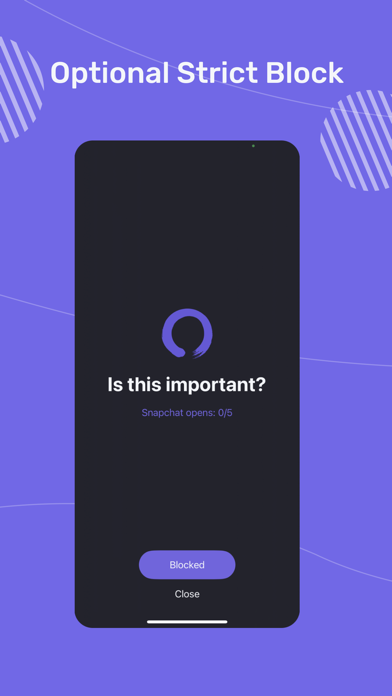
Weakness: a delay is not a block. If you're willing to sit through the timer, you get in every time, and you can turn the whole thing off whenever you like.
2. one sec - best gentle friction
Price: around $20 per year.
one sec intercepts the app you're opening with a breathing pause, then asks whether you still want to open it. It's the most research-backed approach in this list: in a peer-reviewed study, the pause cut impulsive app opens substantially. Great for people who open Instagram without noticing they've done it.
Weakness: it only adds a pause, by design. When you consciously decide to scroll, you breathe for four seconds and scroll anyway.
3. Opal - best analytics, highest price
Price: about $100 per year, or $19.99 per month.
Opal does scheduled blocks, one-off focus sessions, and difficulty levels up to a Deep Focus mode you can't end early. Its real edge is the reporting: a proper breakdown of which apps took your time, across days and weeks. If seeing the numbers is part of your motivation, Opal's stats are the best here.
Weakness: the price, mainly. And outside Deep Focus, blocks can be removed by pulling Opal's Screen Time permission in Settings.
4. Jomo - best for tinkerers
Price: roughly $25-60 per year depending on plan.
Jomo ("Joy of Missing Out") offers custom block templates, schedules, reflection prompts, and a strict mode, at a much lower price than Opal. If you enjoy configuring rules, Jomo rewards the effort.
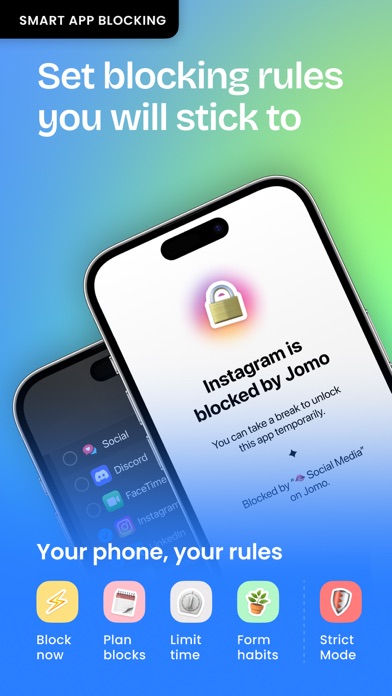
Weakness: reviewers have bypassed its strict mode with tricks as simple as changing the device date, and the setup takes more fiddling than plug-and-play users will tolerate.
5. Freedom - best for blocking across devices
Price: about $40 per year, often discounted.
Freedom's pitch is syncing blocks across your iPhone, Mac, and Windows PC at once, including websites. If your problem is drifting from a blocked phone to the same site on your laptop, Freedom closes that hop.
Weakness: the iPhone blocking itself is less polished than Opal or Jomo, and the same Settings bypass applies.
6. Brick - best if you want physical friction
Price: around $60 one-time for the device; the app is free.
Brick is a small NFC tag. You choose which apps get blocked when your phone is "bricked", and unblocking requires physically tapping your phone on the tag. Leave the tag at home and your phone stays bricked all day. No subscription, and the physical step is real friction that software alone can't copy.
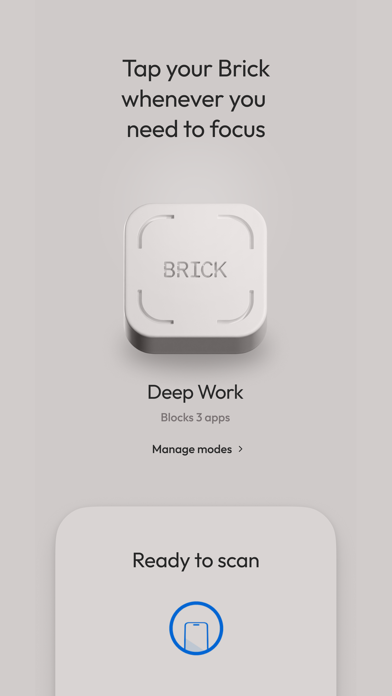
Weakness: the tag only works where the tag is. At home, it's two steps away, and an emergency-unbrick option exists for when you're without it.
7. Screen Time + WaitToUnlock - strongest block, lowest cost
Price: Screen Time is free; WaitToUnlock is a $39.99 one-time purchase.
Most lists skip this option. Apple's built-in Screen Time already does scheduled downtime, per-app limits, and website blocking, free, with no permission that can be revoked, because it is the permission layer every app above depends on. Set up properly, it blocks more reliably than any third-party app.
Its one flaw: you set the 4-digit passcode, so you know it, and "Ignore Limit" is four taps away. WaitToUnlock fixes exactly that. It generates a random Screen Time passcode and guides you through entering it (with decoy digits) so you never learn it, then stores it encrypted. When you genuinely need the code back, you can get it, but only after a 6-hour wait, so there's no instant override at the moment of craving. Paired with closing the Forgot Passcode loophole, this is the most bypass-resistant setup iOS allows.
Weakness: it's deliberately inflexible. If you want to tweak your limits several times a day, the 6-hour wait will annoy you. That's the point, but know what you're signing up for.
Which one should you get?
Just want to try something free: ScreenZen.
Open apps without thinking: one sec.
Motivated by data and happy to pay: Opal.
Love configuring rules: Jomo.
Distraction follows you to your laptop: Freedom.
Want physical friction: Brick.
Keep bypassing every blocker you install: Screen Time with WaitToUnlock. If Opal and one sec didn't stick for you, the problem was that you could always turn them off, and this is the option that removes that ability.